you are here [x]: Scarlet Star Studios > the Scarlet Letters > artist's way open studio (january)
<< before
mhcc calligraphy: class 1
after >>
mhcc calligraphy: class 2
January 19, 2006
artist's way open studio (january)
by gl. at 11:59 am
another evening where we began with a full studio and ended up with half a studio. we had a nice time -- it was a comfortable, familiar group -- but i'm frustrated because we had four people on a waiting list who could have come if three others hadn't flaked out at the very last minute.
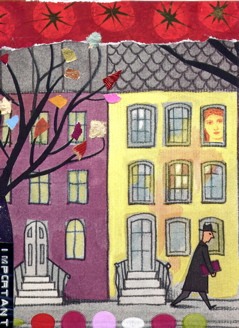
["this is important": click the image to see the other collages]
i've tried appealing to fairness and responsbility. next month i'm going to attempt overbooking the studio for 8 participants and if that doesn't work, the free collage night will no longer be free.
also: tonight i could not get iphoto to export a photo less than 80k -- even for photos i have already successfully exported at 40k! to get "this is important" up i had to run it through preview first. any ideas about how to export smaller file sizes in iphoto? now that i have celeste, i'm really looking forward to have a smaller, happier workflow.
posted by gl. | January 19, 2006 11:59 AM | comments (2) | categories: artist's way
Comments
any ideas about how to export smaller file sizes in iphoto? now that i have celeste, i'm really looking forward to have a smaller, happier workflow.
"Workflow" is the keyword here. I had similar issues with iPhoto and ended up writing a very simple workflow in Automator to handle grabbing the selected iPhoto images, passing them to a helper app, and exporting them to JPEGS with optimal compression settings.
It's not seamless within iPhoto, but it is sort of unixy in a "many little simple apps forming a useful aggregate of functionality" way.
Automator-aware apps include Photoshop (but not Elements), Preview (though I'm not sure if you can set JPEG compression in Automator with it), GraphicConverter (worth the $30 in general if you process a lot of digital images), and there's even a way to pass the images through a shell script that calls the very robust and tweakable ImageMagick.
I use GraphicConverter for all my downsampling. Whenever I have a new batch of photos from my Powershot, they get the downsample treatment for presentation on flickr, which saves me the upload time.
Oh ... and I guess I wrote about this in July, documenting how I did this with ImageMaqick, back before I sprang for GraphicConverter.
Posted by: mph at January 20, 2006 6:41 AM
thanks, mph! i was wondering if i was just tired last night & missing a setting, since i'm almost positive i've exported in the 40k range before.
*sighs* i hate going through all this for something so simple, you know? "make it smaller." that's all i want. and i want it in iphoto. :)
Posted by: gl. at January 21, 2006 12:32 AM