you are here [x]: Scarlet Star Studios > the Scarlet Letters > lsgl: migo is dead, long live migo!
<< before #3 exchange sketchbook: brian prosser
after >> monster month 2008 begins

September 11, 2008

lsgl: migo is dead, long live migo!

by sven at 12:00 pm
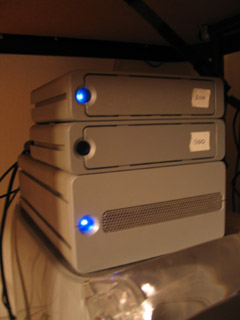
dead hard drive

On Thursday, July 31, just as our out-of-town friend LeeAnn was about to arrive for a visit... We discovered that my Let Sleeping Gods Lie hard drive had died.

THIS IS WHY YOU MAKE BACKUPS, PEOPLE!!

Thank the gods -- you know which gods I'm talking about ;-) -- that we back up all computers in our house once a week... And when I'm actively working on the film, the relevant machines get backed up daily.

(Needless to say, though, we're eager to upgrade to the next version of OSX, so we can then use "time machine" as our backing-up software.)
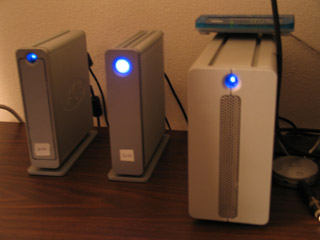
new hard drive (middle)

Last week, on Tuesday, Sept 2, I set up the new 500GB replacement drive.

The dead drive was named "Migo"... After the Lovecraftian space insects that transport humans to Pluto by placing our brains in jars. Being nervous about the whether or not the "data forks" would transfer over safely from the backup, I named the new drive "Migo" again.

...And the rebirth was a success! (OMGs, phew!!)

I've actually lost count, but I think this is the third hard drive that LSGL has lived on. The last movie drive may have died due to overheating... So, as you see, I've given our various external drives a bit more breathing room this time.

posted by sven | September 11, 2008 12:00 PM | comments (6) | categories: let sleeping gods lie

Comments

I am going to use this post as a reminder to bak up. I have 3 drives with my film in various states on it...but I do have to get more organized about the regular backups.

jriggity

Posted by: justin rasch at September 11, 2008 11:23 PM

why does the new migo have such a big eye? it's STARING AT ME!

Posted by: gl. at September 12, 2008 1:01 AM

Man, that's tough. I'm glad you were able to rescue the film, though. I've lost years of work due to dead drives, I'm not sure how to back everything up properly. I have the same thing on several drives, but they're all connected. I check for viruses once in awhile, but this is probably not the best way to go about it.

Posted by: Pram at September 17, 2008 9:33 PM

Man, that's tough. I'm glad you were able to rescue the film, though. I've lost years of work due to dead drives, I'm not sure how to back everything up properly. I have the same thing on several hard disks, but they're all connected. I do check for viruses once in awhile, but this is probably not the best way to go about it.

My greatest sin at this point is having the artwork on the same drive as the operating system. It would be very difficult to undo that at this point, but I'll know not to do it next time.

By the way, I added you to my blog roll. Figured it was about time ;)

Posted by: Pram at September 17, 2008 9:40 PM

Phew!! Thank heavens for back-ups - I have a back-up, but I can't say that it's an incredibly good system - and the more artwork and imagery I have on my hard drive, the more critical it becomes! Thanks for the gentle reminder . . .

Posted by: bansheegrrll at September 21, 2008 9:55 PM

How cool is it that you NAME your hard drives! And it looks like LSGL enjoys nibbling at your drives . . . I'm so glad you are vigilent about backing up your work.

Posted by: Dayna at September 23, 2008 9:08 AM

Post a comment


Remember Me?


You may use HTML tags or Markdown syntax in your comments:
*emphasized*, **strong**, & [link](http://www.foo.com).

No need for <p> or <br> tags.