you are here [x]: Scarlet Star Studios > the Scarlet Letters > a thousand words is worth a picture
<< before
parenting your brainchild
after >>
lsgl: i have a rough draft!
April 23, 2009
a thousand words is worth a picture
by sven at 2:57 pm
I've written before about the spectrum of pre-viz techniques: thumbnail storyboards, post-it storyboards, polished storyboards on 3"x4" cards, storyreels (slideshows), 2D animatics (limited motion), 3D CG animatics, photo storyboards, photo animatics…
Here's the problem: most of these techniques are really just embellishments upon the thumbnail storyboard… So what do you do when you feel stuck for new thumbnails?
Go back to writing.
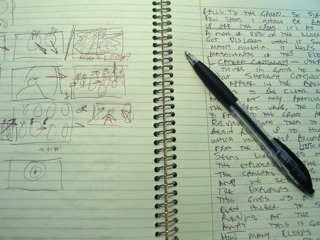
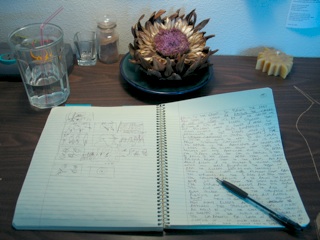
When I was re-writing the story for LSGL, it made sense to type -- to brainstorm ideas and options as fast as possible. But for thumbnailing, I gotta recommend pulling out a spiral notebook. The speed of thoughts-to-paper is slower -- but you need to be a little more contemplative, so that's OK. And best of all, as ideas begin to emerge, you can sketch them out on the left-hand pages.
Here's a useful concept I stumbled upon just this morning: camera continuity. When an idea for a shot comes to me, it's usually a composition that looks good as an isolated, static image. But by writing, I've been realizing that the invisible angel who plays cameraman shouldn't just flit about randomly… There ought to be a logic for how the camera is moving between shots.
Example: I've thumbnailed a sequence of 12 shots… It intercuts shots of the Shoggoth with shots of the Elders. Each shot of the Shoggoth progressively zooms in; each shot of the elders progressively zooms out. Also, the shots of the Elders start with them moving screen-right; by the end of the sequence, the camera has revolved around them so that it's in front of the Elders, and they're running straight at the audience. Simultaneously, between shots the camera moves up from a "worm's eye view" on the ground to a "bird's eye view" about 30 feet off the ground.
You could figure this visual logic out all in your head… But I'm a strong believer in "showing your work." As I get my ideas down on paper, it clears room in my head to discover new ones -- work proceeds much faster, even if it seems like a more laborious process.
I've done writing for the sake of generating story before… Doing writing to work out my shot list is new.
I like it. I expect I'll be applying this workflow to future films, too.
posted by sven | April 23, 2009 2:57 PM | categories: let sleeping gods lie